
AI should not replace VI resource adaptation — but it can support the first draft
Accessible documents are not created by pressing a button. This is an experimental Claude Skill Pack for the first-draft stage of adaptation — controlled by access profiles, quality-control reporting and mandatory human review.
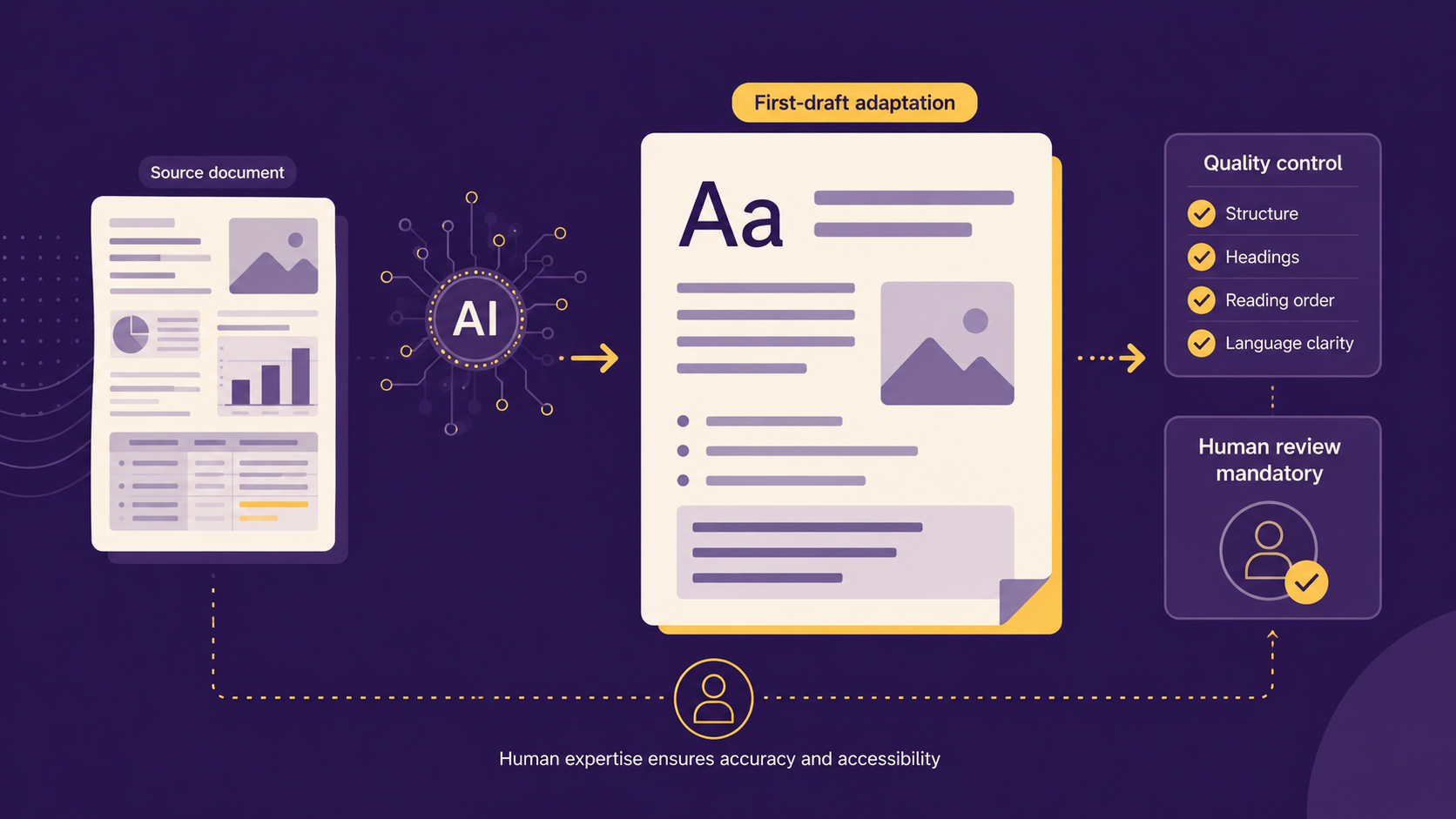
Accessible documents are not created by pressing a button.
For visually impaired learners, a resource is only genuinely accessible when it can be read, navigated, understood and used without adding unnecessary fatigue or confusion. That means the structure matters. The reading order matters. The layout matters. Tables, diagrams, headings, answer spaces, numbering and visual clutter all need careful handling.
This is why I have been developing an experimental Claude Skill Pack for VI resource adaptation.
The aim is not to replace QTVIs, VI technicians, SENCOs, modified paper specialists or professional judgement. The aim is to explore how AI can support the first-draft stage of adaptation when it is controlled by clear access profiles, structured rules, quality-control reporting and mandatory human review.
The problem: a recommendation is not the same as a working resource
In accessibility, we often talk about recommendations. Use large print. Provide a screen reader version. Reduce visual clutter. Add alt text. Adapt diagrams. Provide modified papers.
But in real practice, the difficult part is implementation.
A worksheet, workbook, assessment paper or PDF can look simple on the surface while still being difficult to adapt properly. Multi-column layouts, embedded images, poor reading order, dense tables, decorative clutter and inconsistent formatting can all create barriers for visually impaired learners.
AI can help speed up parts of this process, but only if it is used carefully. Without structure, AI can miss content, change meaning, misread layouts or produce something that looks correct but is not safe to use.
That is the gap this project is exploring.
What I have built
The VI Resource Adaptation Claude Skill Pack is an experimental workflow that helps Claude produce first-draft adapted resources using structured profiles and review steps.
It can support workflows such as:
- 24pt Arial Bold large print resources
- Screen reader-friendly HTML
- Reduced visual clutter versions
- Exam-style practice paper adaptation with mandatory review warnings
- Learner-specific access profiles
- Custom access profiles
For each workflow, the aim is to produce:
- An adapted first-draft resource
- A quality-control report
- A human-review checklist
- Clear flags for tables, diagrams, uncertainty and anything requiring professional judgement
The primary deliverable is not software. It is a workflow.
Here is the same exam question before and after a first-draft large-print adaptation:
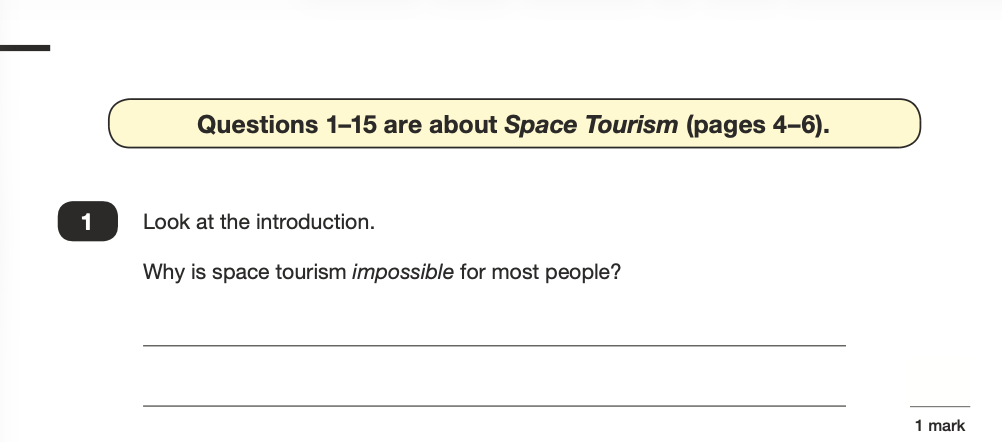
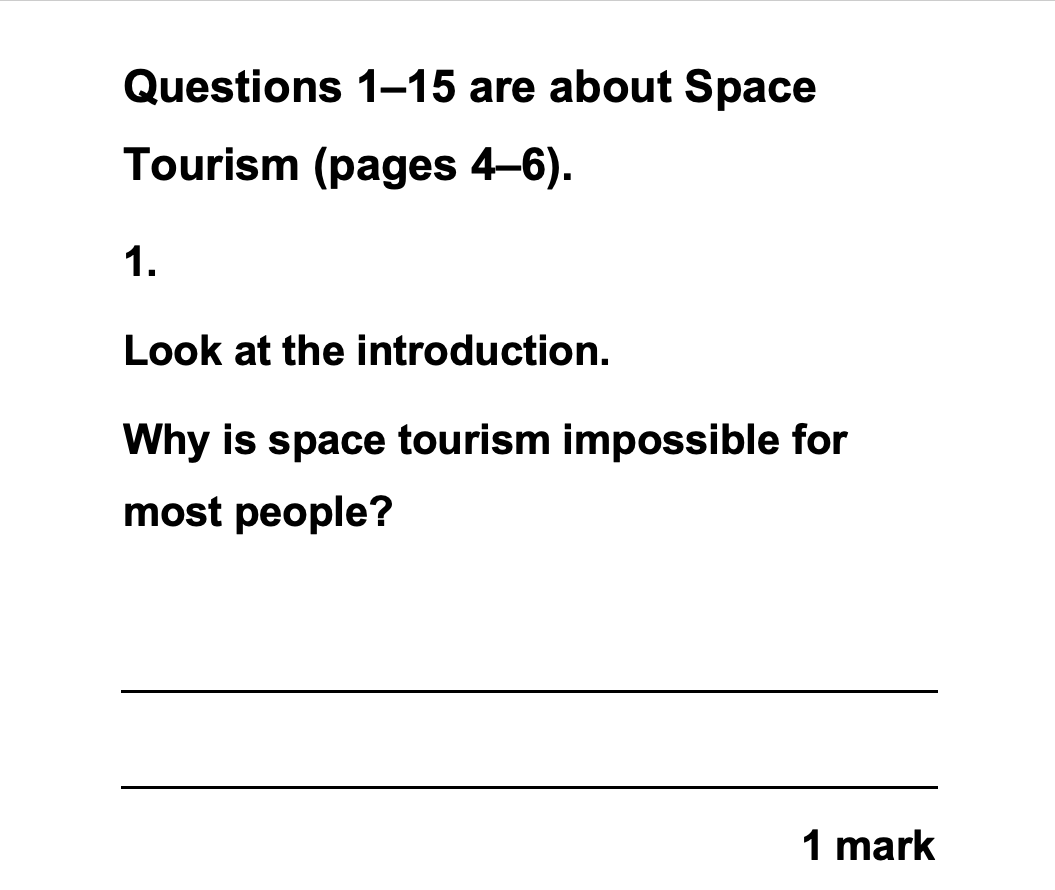
Open release: the project is public on GitHub — AGLAccess-Works/vi-resource-adaptation (download the v0.6 plugin). It is an early, experimental release — expect it to change.
Why human review is mandatory
This project is deliberately built around human review.
AI can be useful, but it cannot know a learner’s confirmed access arrangements unless those details are provided. It cannot replace professional judgement. It cannot certify that a modified document is safe, complete or appropriate for use in an assessment context.
A correct-looking output is not the same as a verified output.
Every adapted resource still needs checking by a trained person with access to the original source material.
That review should consider:
- Has all original content been preserved?
- Has the meaning changed?
- Is the reading order correct?
- Are headings, questions and answer spaces clear?
- Have tables been handled safely?
- Have diagrams and images been flagged rather than guessed?
- Is the output appropriate for the learner’s confirmed access needs?
- Would the adaptation be acceptable in the intended context?
For assessment or exam-style content, this review becomes even more important.
What this is not
This is not a certified accessibility tool.
It is not UKAAF approved, JCQ approved, WCAG certified or PDF/UA certified.
It is not a replacement for a QTVI, VI technician, SENCO, modified paper specialist or awarding-body process.
It is not suitable for live exams or regulated assessment use without appropriate professional approval and sign-off.
It is an experimental practitioner-built workflow designed to support the first draft, not to remove responsibility from the people who understand the learner and the context.
Why this matters
The future of AI in accessibility should not be about replacing specialist judgement.
It should be about reducing avoidable manual workload while keeping the important decisions in human hands.
Used badly, AI can create new accessibility risks.
Used carefully, with access profiles, structured instructions, quality-control checks and human review, it can help practitioners move faster while still protecting the learner.
That is the principle behind this project.
Accessibility is not finished when a tool produces an output.
Accessibility is finished when the person can actually use the resource.
Practical next step: if you adapt resources for visually impaired learners and want to talk through where AI fits — and where it does not — you can start an enquiry.
Related reading: why accessible PDFs are not the same as flat image documents.